
 Contact
 Hoe winkelen bij ons werkt
Bezorging
Winkelgids
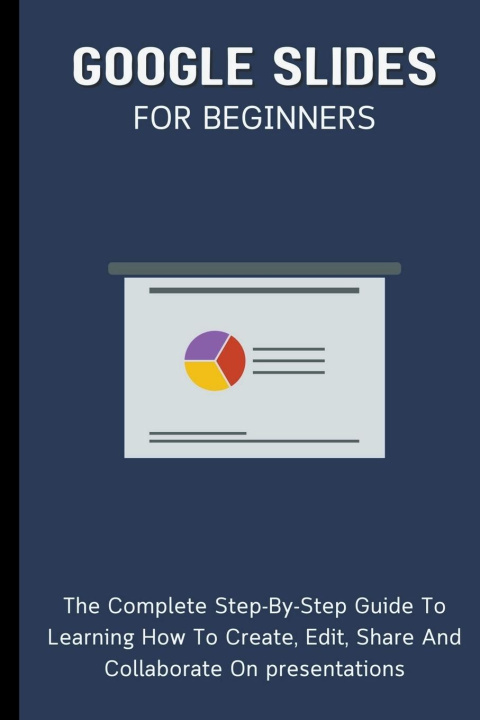
Google Slides For Beginners
 Engels
 72 b
72 b
Tot 30 dagen retourrecht
Klanten kochten ook

 /
/
 Gebonden (paperback)
 10.33
€
10.33
€







 /
Gebonden (paperback)
20.36
€
/
Gebonden (paperback)
20.36
€







Google Slides For Beginners: The Complete Step-By-Step Guide To Learning How To Create, Edit, Share And Collaborate On Presentations
A program for creating presentations, Google Slides is a part of Google's free online Docs suite.
Google Slides is accessible via the web, as an iOS and Android mobile app, and as a desktop program running on Google ChromeOS.
File formats for Microsoft PowerPoint can be opened with the app.
With the app, users can work together in real-time on creating and editing files while they're online.
A user who has a revision history showing changes keeps track of edits.
A permissions system controls what users can do, and an editor-specific color and cursor are used to highlight the editor's position.
Machine learning-based features like "Explore" and "tasks to other users" have been added via updates.
In this book, we'll walk you through how to use Google Slides like a pro to facilitate collaboration and team work.


Informatie over het boek
Engels

Geef dit boek vandaag nog cadeau
Dat gaat heel eenvoudig
1 Voeg het boek toe aan je winkelwagentje en selecteer Als cadeau bezorgen 2 Je krijgt van ons per omgaand een voucher 3 Het boek wordt bezorgd op het adres van de ontvangerDit vind je misschien ook interessant

 /
Gebonden (paperback)
32.62
€
/
Gebonden (paperback)
32.62
€
 /
Gebonden (paperback)
18.43
€
/
Gebonden (paperback)
18.43
€





 /
Gebonden (paperback)
21.27
€
/
Gebonden (paperback)
21.27
€



 /
Gebonden (paperback)
16.51
€
/
Gebonden (paperback)
16.51
€


 /
Gebonden (harde band)
119.88
€
/
Gebonden (harde band)
119.88
€


 /
Gebonden (paperback)
17.12
€
/
Gebonden (paperback)
17.12
€
 /
Gebonden (paperback)
22.89
€
/
Gebonden (paperback)
22.89
€
 /
Gebonden (paperback)
51.78
€
/
Gebonden (paperback)
51.78
€

Hoi! Ik ben Libroamiko, je boekadviseur.
Hoe kan ik je helpen?