
 Contact
 Hoe winkelen bij ons werkt
Bezorging
Winkelgids
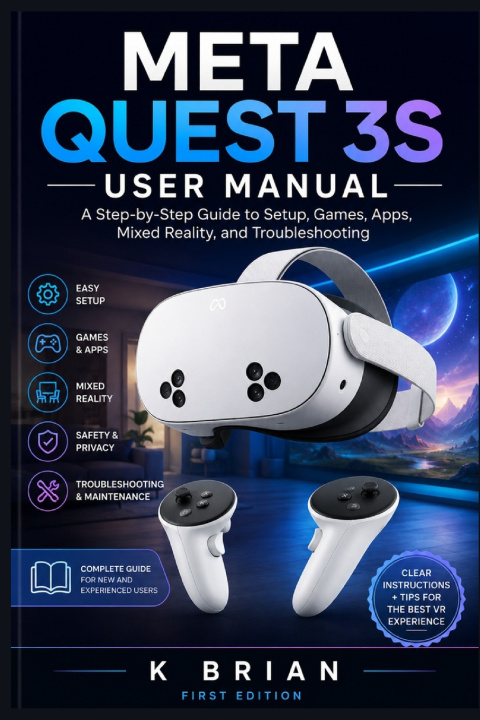
META QUEST 3S USER MANUAL
A Step-by-Step Guide to Setup, Games, Apps, Mixed Reality, and Troubleshooting
 Engels
 46 b
46 b
 Wordt verwacht
 Nieuw
Nieuw
Tot 30 dagen retourrecht

Welcome to the Meta Quest 3S User Manual, a practical, beginner-friendly guide designed to help you get comfortable with your Meta Quest 3S from the moment you take it out of the box.
The Meta Quest 3S can be used for much more than playing VR games. You can explore immersive experiences, enjoy entertainment, use mixed reality, communicate with others, browse the web, exercise, learn, and explore a growing selection of applications. However, getting the most from the headset is much easier when you understand the basic setup, controls, settings, and features.
This manual takes you through those areas step by step. Instead of assuming that you already understand virtual reality, it explains the important concepts in straightforward language and introduces features gradually.
You will learn how to prepare your headset, connect it to your network, configure your account, use the controllers and hand tracking, navigate the interface, install games and apps, create a safe play area, and explore mixed reality.
The guide also covers everyday management and troubleshooting. If you encounter problems with connectivity, controllers, tracking, applications, charging, or general performance, the later chapters provide practical steps to help identify and resolve common issues.
Who This Manual Is For
This manual is primarily written for people who are new to the Meta Quest 3S or virtual reality.
If you have just purchased your first VR headset, the guide can help you move from the initial unboxing process to confidently using the device. You do not need previous VR experience to follow the instructions.
It is also useful for existing Quest users who want a convenient reference for features they may not have used before. You may already know how to launch a game but still want to understand mixed reality, hand tracking, privacy settings, storage management, or troubleshooting.
Parents, family members, and anyone helping another person set up a Meta Quest 3S can also use this manual as a reference. The explanations are written to make unfamiliar features easier to understand before they are used.
Whether your main interest is gaming, entertainment, mixed reality, communication, fitness, education, or simply exploring what the headset can do, the goal of this manual is to give you a solid foundation.
What You Will Learn
By working through this manual, you will build a practical understanding of the Meta Quest 3S and its major features.
You will begin by learning about the headset, its controllers, included accessories, and important safety considerations. You will then move through the initial setup process, including charging, account configuration, network connection, and headset adjustment.
The guide explains the main controls and interface so that you can navigate menus without constantly wondering which button or gesture to use. You will also learn about hand tracking and the different ways you can interact with virtual environments.
Later chapters introduce games, applications, mixed reality, passthrough, entertainment, social features, productivity tools, and customization options. You will also learn how to manage storage, battery information, privacy settings, and other important device settings.
Finally, the manual covers maintenance and troubleshooting. These sections are intended to help you deal with common problems while also developing good habits that can keep your headset working reliably over time.
By the end of the guide, you should have the knowledge needed to set up your Meta Quest 3S, explore its features, customize it to your preferences, and use it with greater confidence.


Informatie over het boek
Engels
Categorieën

Geef dit boek vandaag nog cadeau
Dat gaat heel eenvoudig
1 Voeg het boek toe aan je winkelwagentje en selecteer Als cadeau bezorgen 2 Je krijgt van ons per omgaand een voucher 3 Het boek wordt bezorgd op het adres van de ontvangerHoi! Ik ben Libroamiko, je boekadviseur.
Hoe kan ik je helpen?